Task2 Complete your tasks cohesively and efficiently with Task2.
Task2 is a shared task board for collaborating to complete jobs.
Anyone can raise a task, assign it and finalise it.
15 day free trial. Cancel any time.


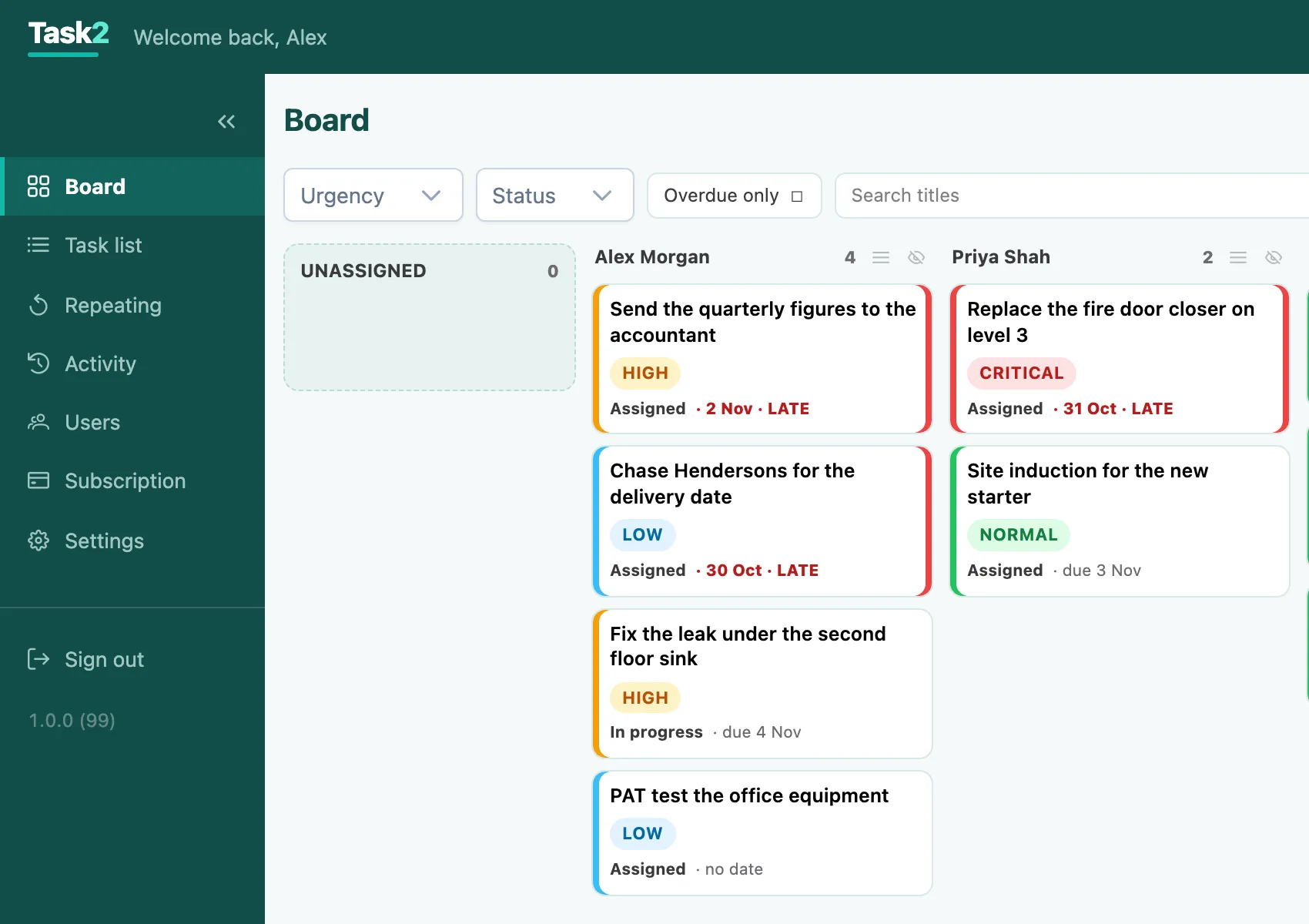
Built to ease your day
Task2 incorporates reminder lists, messages and notices, all into one platform.
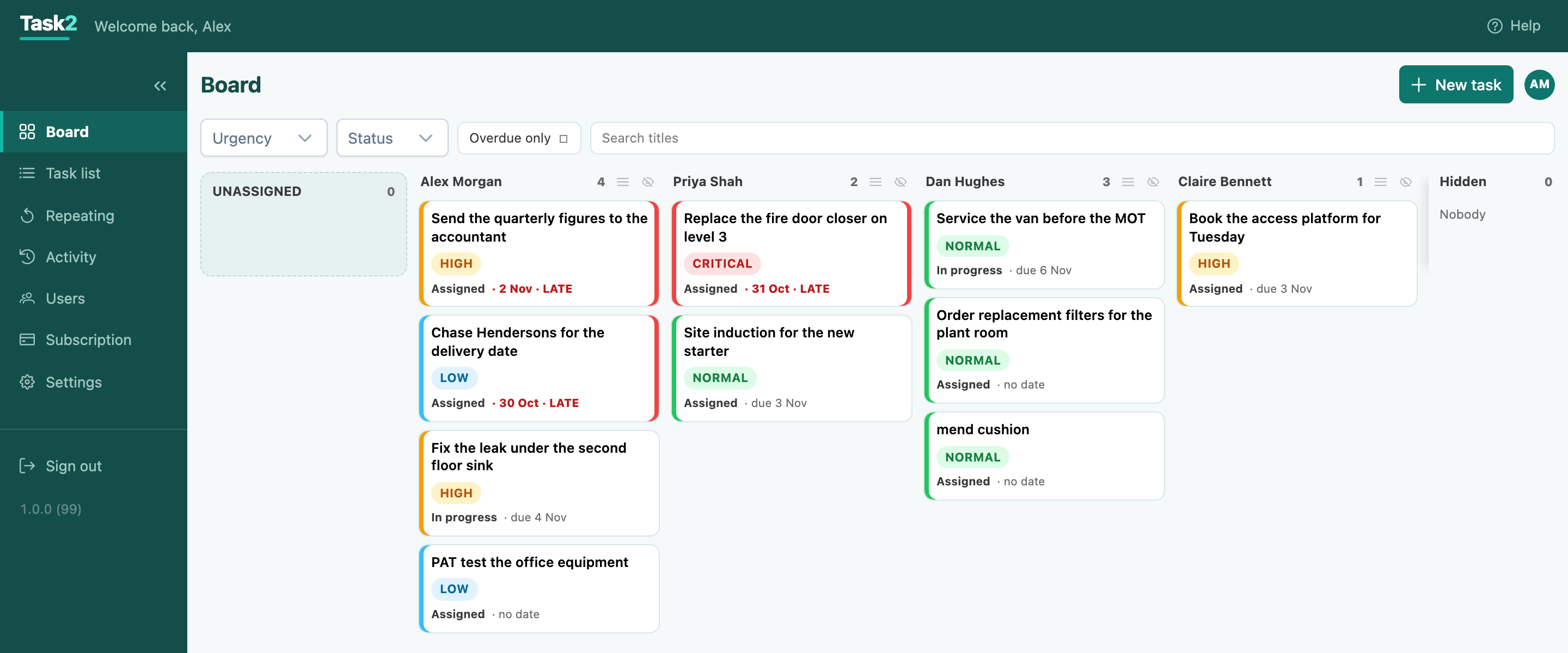
A column per person
Assign or reassign tasks by dragging a task card into someone's column. Notifications are sent so you know you've been assigned a task.
Always on it
Our companion phone app keeps you in touch on the go. See your list and raise new tasks as they come up.
Away from your desk?
See something that needs doing, take a quick photo and upload it with your task. Update existing tasks with more photos as the task progresses.
Task History
Each task contains a history of who it was assigned to and what work has been completed so far.
How it works
01
Create a Task
Anyone can add tasks. From the board at the office or from a phone, complete with a photo.
02
Assign a Task
A manager assigns a task, from the board or from a phone. The assignee receives that task. Until then the task is available to anyone.
03
Complete a Task
Once a task is completed it is archived and marked as completed.
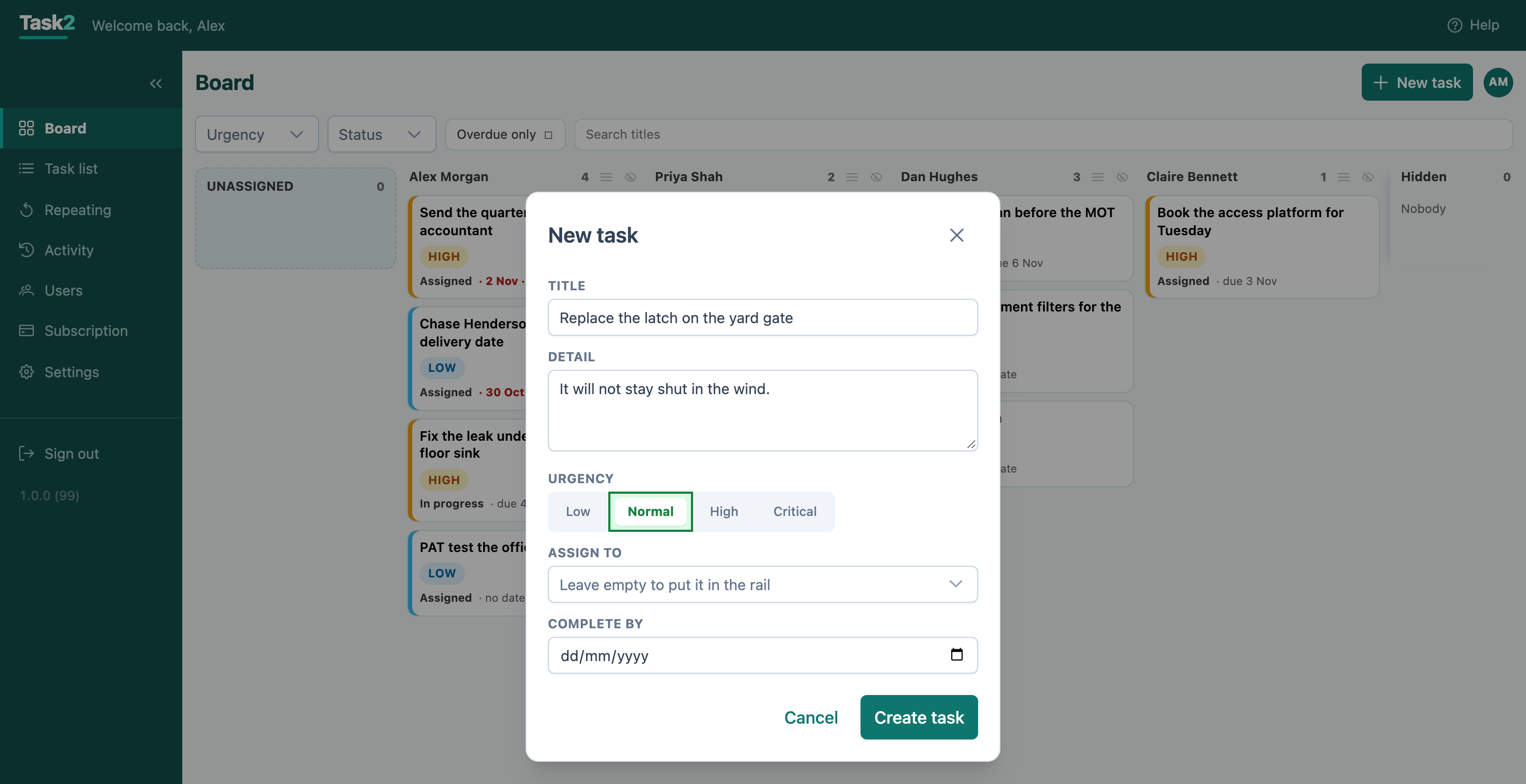
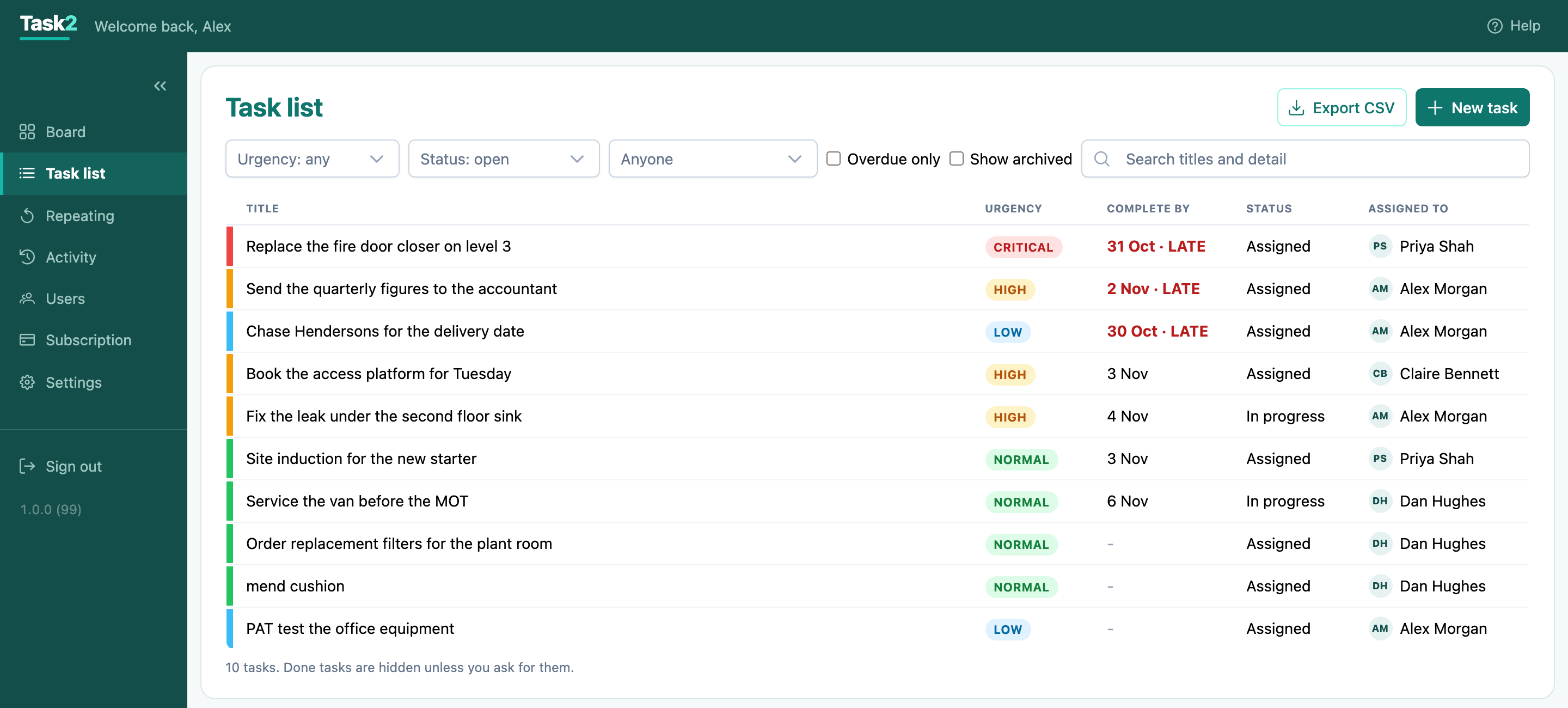
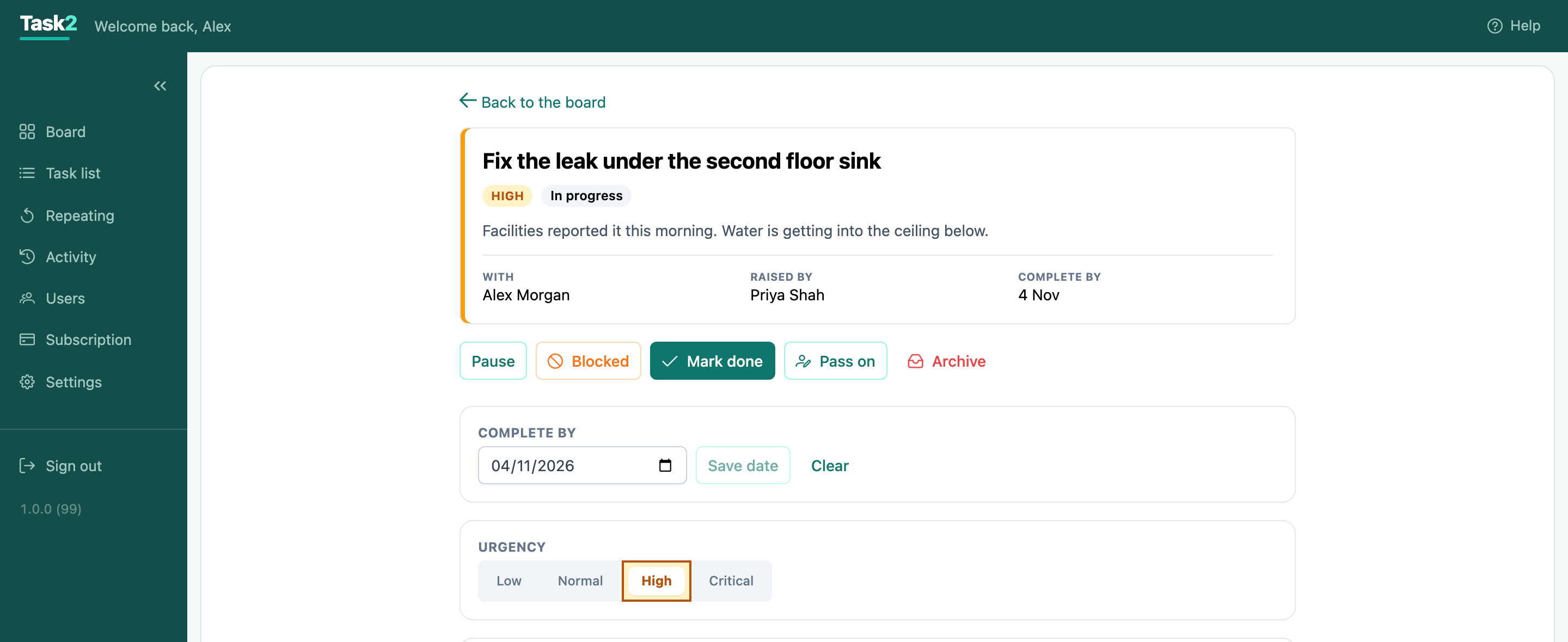
The web and the app
Task2 is run from the web. The phone app, for iPhone and Android, is a companion for keeping in touch on the go, and you sign in to it with the same account.
On the web
The main board with all your tasks.
- The shared board, with a column per person
- The task list
- Dates and the full detail on a task
- Repeating tasks
- The activity log
- Adding and deactivating people
- Settings: configuring your tasking
- Your subscription: starting it, paying and cancelling
On the App
A companion for keeping in touch on the go.
- Your own tasks, and the jobs nobody has picked up yet
- A quick task with a photo
- Start, block, pass on or finish the task assigned to you
- Alerts when a task becomes yours or goes past its date
- For managers; everybody's open work
One plan. Really simple.
Everything is included. The basic subscription covers up to 5 users, additional charges for each user over this number.
£150
per month, including 5 people
- The board, the task list and repeating work
- The companion phone app, iPhone and Android
- Photos on a task
- The full activity history
- Unlimited tasks
£4.50 a month for each person after the fifth.
Start the 15-day trialThe card is taken at sign-up and charged on day sixteen. Cancel from inside the app and it stops at the end of the month you have paid for.
Questions
What happens when somebody joins or leaves?
Your subscription is charged based on your number of active users.
Is there a free version?
No. There are fifteen free days with a card on file, and nothing is charged if you cancel before day sixteen.
What if a payment fails?
Nothing stops working straight away. You get a week and three emails, the second naming the date access would stop. Nothing is ever deleted, and paying brings it all back.
Can everybody see everybody else's work?
On the board on the website. On the phone you see your own work and the jobs nobody has picked up yet. A manager also sees everybody's open work.
Can we run Task2 from the phone alone?
No, Task2 is run from the web. The board, repeating tasks, people, settings and your subscription are all there. The phone app is a companion for keeping in touch on the go, for whoever is away from a desk.
Ready to start tasking?
Fifteen days, the whole thing, no charge until day sixteen.
Start the 15-day trial